Features Screenshots Guides Blog FAQ Privacy Download on App Store ↗

WiFi Heatmap
Planning & Survey

Draw your floor plan, walk each room collecting signal measurements, and HeatFi generates a vivid WiFi heatmap — so you know exactly where your dead zones are and how to fix them.

Available for
86 data points collected this session
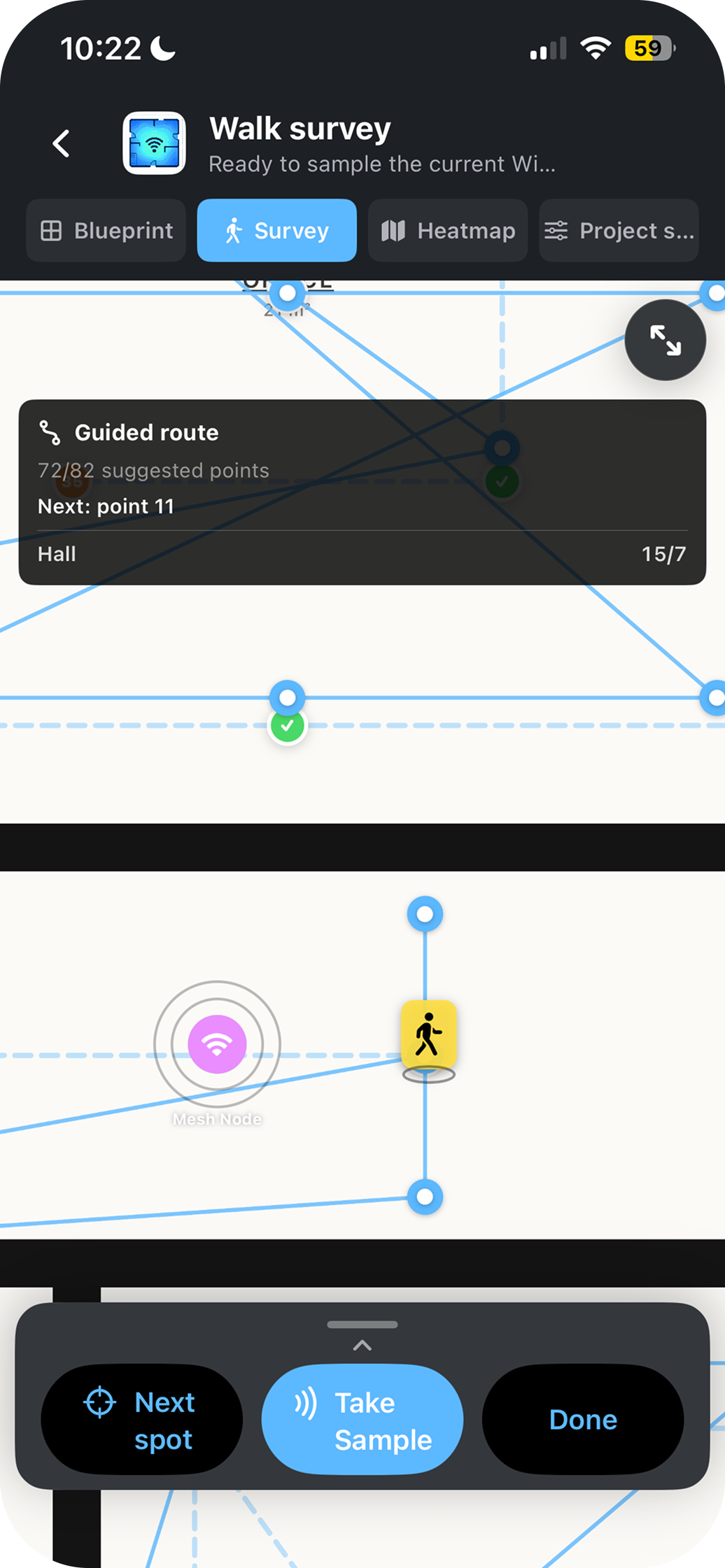
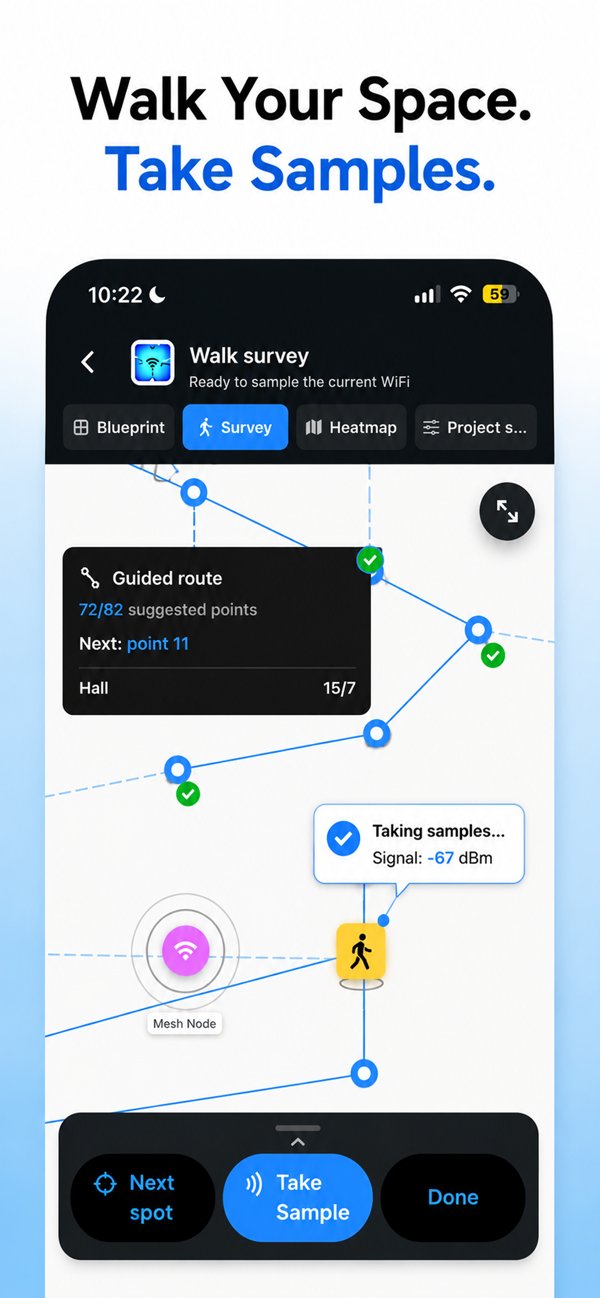
HeatFi walk survey guided route
Walk Survey
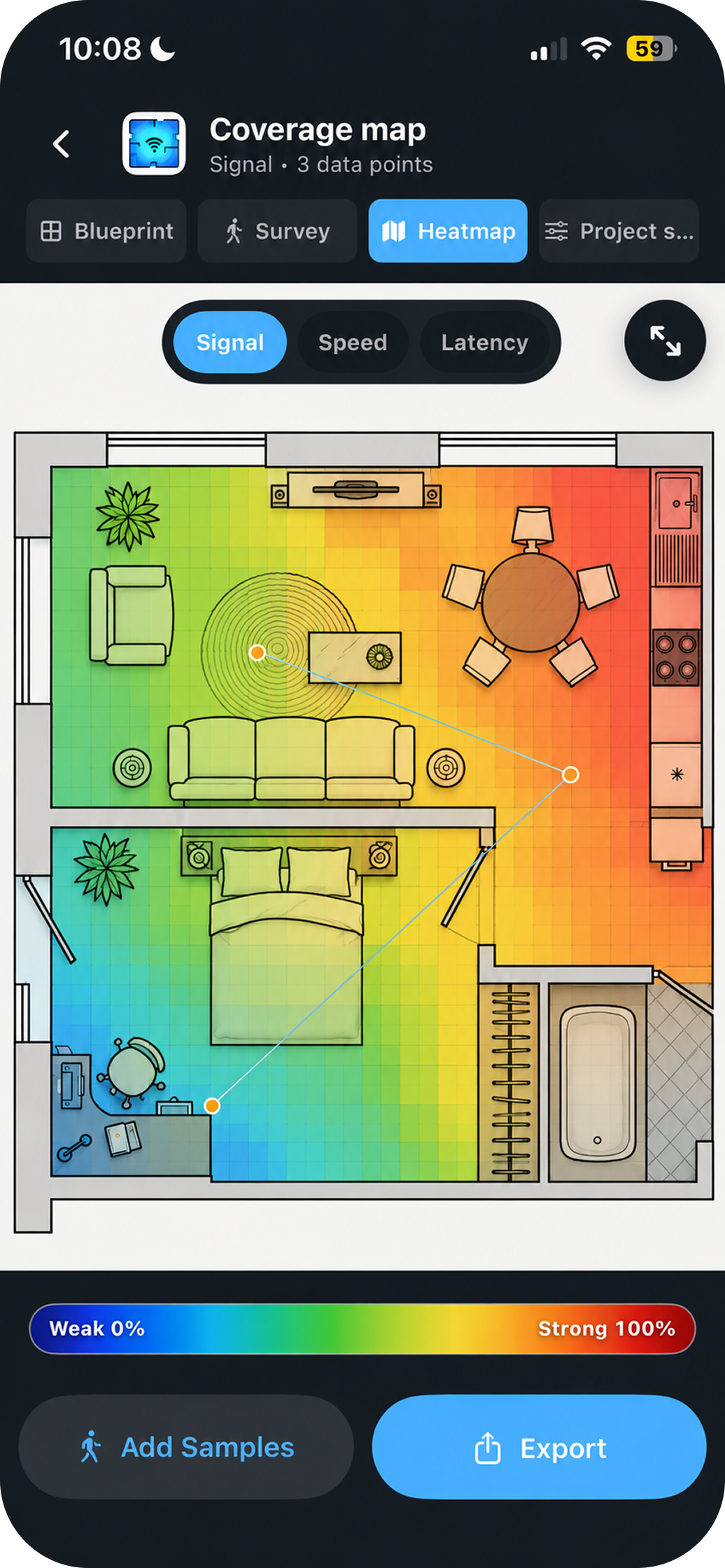
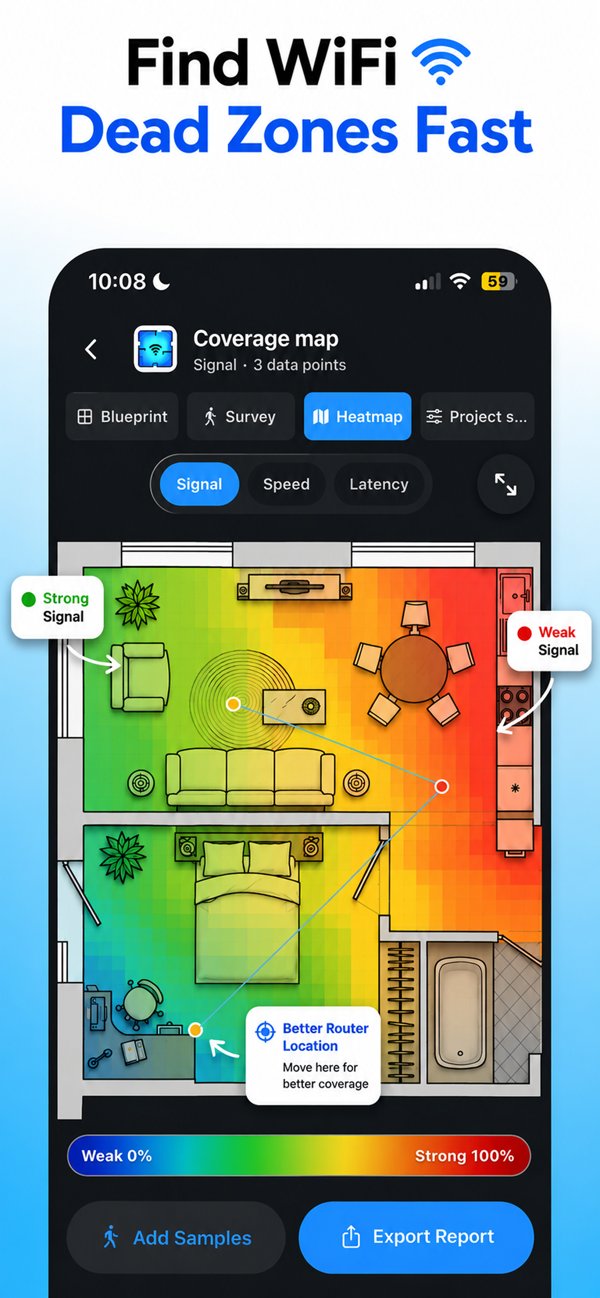
HeatFi WiFi coverage heatmap
Coverage Map
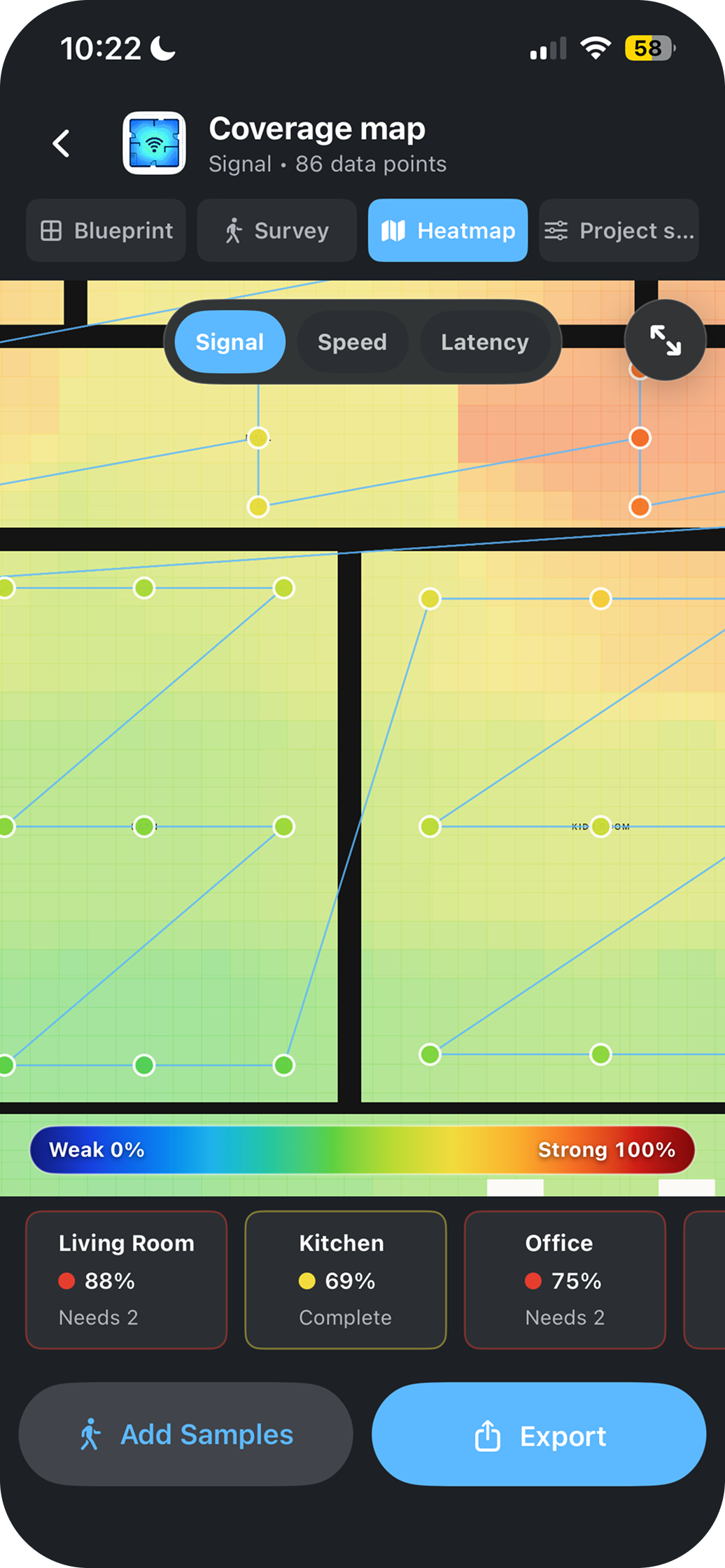
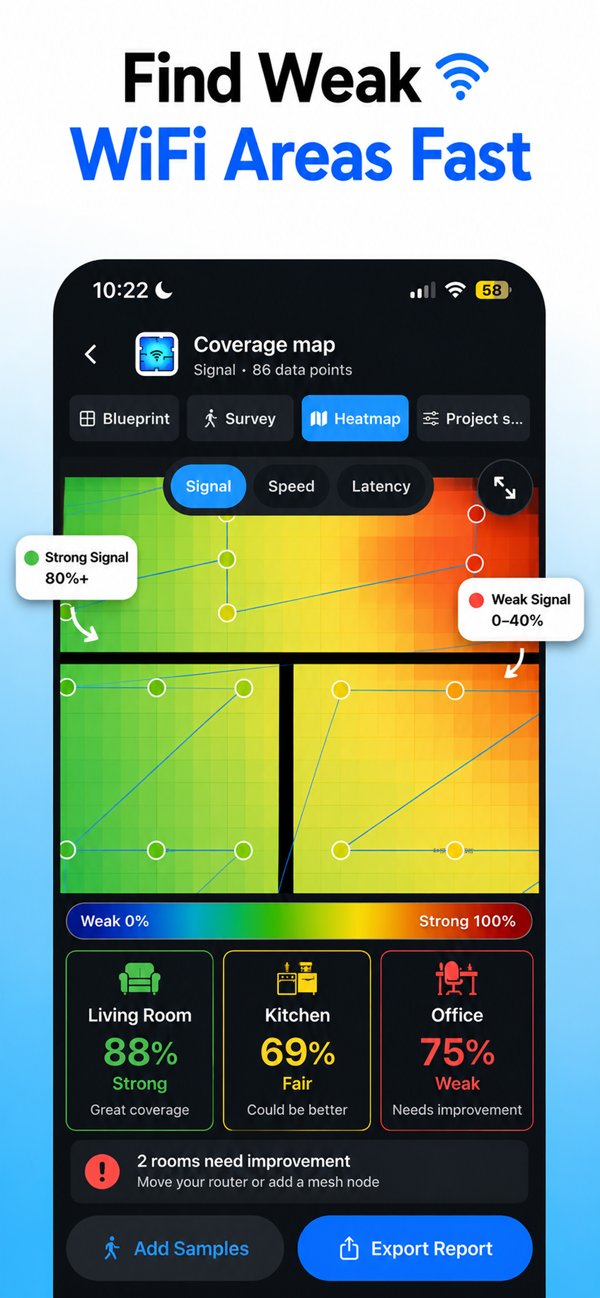
HeatFi room-by-room signal scores
Room Stats
Heatmap ready Export as PDF or PNG

How it works

Three steps to total WiFi clarity

No networking degree required. HeatFi guides you through the whole process in under 10 minutes.

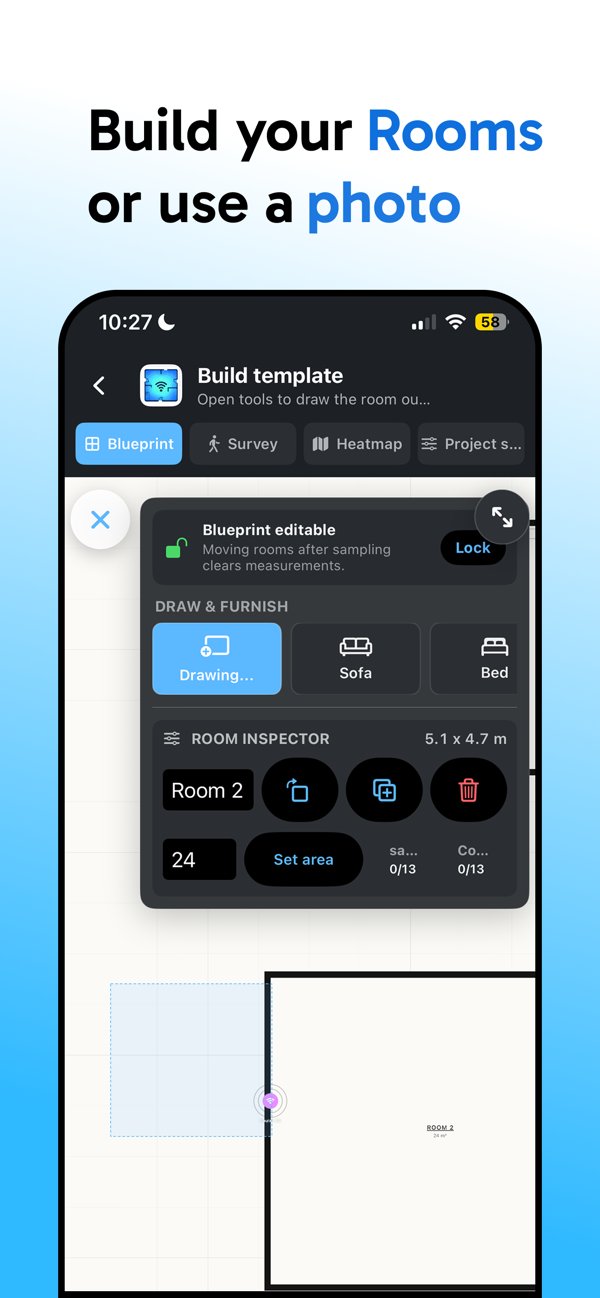
HeatFi floor plan Draw or import your plan
Step 01

Draw or upload your floor plan

Sketch your layout freehand inside the app, import an image of your blueprint, or snap a photo of a printed plan. HeatFi scales and aligns it automatically so you're ready to survey in seconds.

HeatFi walk survey guided route
Step 02

Walk your home & collect measurements

HeatFi's guided route tells you exactly where to walk next. Move through each room and tap "Take Sample" — the app reads your device's WiFi signal strength in real time and pins each reading to the map.

HeatFi heatmap with room signal scores
Step 03

Get your heatmap — instantly

HeatFi interpolates your data and renders a colour-coded heatmap with per-room signal scores. Red is strong, blue is a dead zone. See exactly where to move your router, add a mesh node, or call your ISP.

Screenshots

See HeatFi in action

The same screens you'll find on the App Store — floor plans, walk surveys, and finished WiFi heatmaps.

HeatFi blueprint editor — build your rooms or import a floor plan photo
Build your rooms — or import a photo of your plan
HeatFi guided walk survey taking WiFi signal samples with live dBm readings
Walk your space, take samples with live dBm readings
HeatFi WiFi heatmap finding dead zones and suggesting a better router location
Find dead zones & get better router-location suggestions
HeatFi coverage map with per-room WiFi signal scores for living room, kitchen and office
Per-room signal scores — see which rooms need help
30s
Average setup time
±2 dB
Measurement accuracy
Any
Floor plan format accepted
100%
Offline — data stays on your device

Ready to find your dead zones?

HeatFi is free to download on iOS and Android. Start mapping in under a minute.

Download on the App Store Get it on Google Play

Free to download · iOS & Android · No account required

Guides

Fix your WiFi with data, not guesswork

Practical, measurement-first guides to the most common coverage problems — each showing how to verify the fix with a heatmap.

iPhone
WiFi Heatmap App for iPhone
Turn your iPhone into a WiFi survey tool and map signal room by room — no extra hardware.
Read guide →
Site Survey
Run a WiFi Site Survey with Your Phone
What a site survey is, when you need one, and how to run a passive survey for free.
Read guide →
Fix Coverage
WiFi Slow Upstairs? How to Fix It
Floors block WiFi harder than walls. Diagnose exactly where coverage dies and fix it.
Read guide →
Planning
WiFi Coverage Map from Your Floor Plan
Turn a blueprint, sketch, or photo into a visual WiFi coverage map before you drill holes.
Read guide →
Fix Coverage
Where to Put a WiFi Extender
The halfway rule is a rough start — find the exact outlet with a 10-minute survey.
Read guide →
Fix Coverage
Extend WiFi to a Garage or Garden Office
Detached buildings need a different playbook — what works at each distance.
Read guide →
Office WiFi
How Many Access Points Do You Need?
Sizing rules per area, users and walls — verified with a survey before you buy.
Read guide →
Measure
Test WiFi Signal in Every Room
What dBm readings mean and how to turn them into a full-house signal map.
Read guide →
View all WiFi guides →
FAQ

Frequently asked questions

Quick answers about WiFi heatmaps, coverage problems, and how HeatFi works.

What is a WiFi heatmap?
A WiFi heatmap is a colour-coded map of wireless signal strength laid over your floor plan. Strong areas, weak areas, and dead zones become visible at a glance, so you can fix coverage with data instead of guesswork. Learn more →
How do I make a WiFi heatmap on iPhone or Android?
Install HeatFi (free), draw or import your floor plan, then walk each room tapping Take Sample. The app pins each live signal reading to your position and generates an interpolated heatmap with per-room scores in minutes. Learn more →
Why is my WiFi slow upstairs?
Floors attenuate WiFi more than interior walls — joists, insulation and concrete all absorb signal, and routers usually sit low. A two-floor heatmap survey shows whether you need to raise the router, switch bands, or add a mesh node at the top of the stairs. Learn more →
Where should I put my WiFi router?
Central, elevated, and away from metal and thick masonry — but every home is different. Surveying before and after moving the router shows exactly which position covers the rooms you actually use. Learn more →
Where should I place a WiFi extender?
At the edge of your router's strong coverage on the path toward the dead zone — not in the dead zone itself. A heatmap shows that edge precisely; the extender should still receive roughly -50 to -65 dBm from the router. Learn more →
How do I test WiFi signal strength in every room?
Measure signal (dBm), not speed tests: walk each room with a heatmap app taking samples where you actually use WiFi. -50 dBm or better is excellent; below -80 dBm is a dead zone. Learn more →
How many access points does my office need?
Roughly one AP per 100–150 m² of open space, more with solid walls — but construction dominates. A floor-plan walk survey of your actual building gives the true count before you buy hardware. Learn more →
Is HeatFi free? Does it need an account?
HeatFi is free to download on iOS and Android, works fully offline, requires no account, and your survey data never leaves your device. Download it →

From the Blog

WiFi Tips & Guides

WiFi Tips
How to Fix WiFi Dead Zones in Your Home
Why dead zones form, how to locate them precisely, and which fixes actually work — for every budget.
Read article →
WiFi Explained
What Is a WiFi Heatmap? The Beginner's Guide
WiFi is invisible, which is exactly why it's so hard to fix. Here's how a heatmap makes the problem obvious.
Read article →